
Article
How to Design a Built-In TV Unit That Hides All Your Cables
Let’s be honest, no matter how nice your living room looks, a tangle of cables hanging down the back of your TV can ruin the whole effect. You’ve got the TV, the game console, the sound bar, the Sky box, maybe a streaming stick or two, and somehow they all need power and they all need to talk to each other. The result, in most homes, is a mess of black wires that you half-heartedly try to hide behind a bit of furniture.
It doesn’t have to be that way.
A properly designed built-in TV unit doesn’t just give you a place to put your screen, it’s built around the problem of cables from the ground up. When you commission a bespoke media unit, cable management stops being an afterthought and becomes part of the design itself.
Here’s how to think about it.
Start with what you actually own
Before you start thinking about aesthetics, take stock of every device that’s going to live in or around that unit. Most households today are running a 60-inch-plus TV alongside at least one games console, a streaming device, a sound system of some kind, a broadband router, and a cable or satellite box. Each of those has a power cable. Several of them have HDMI leads. Some need ethernet. A few need optical audio cables.
Write it all down. The number of sockets you’ll need, the number of HDMI ports, and whether you want ethernet fed directly into the unit all shape how the joinery is designed and what gets built in where.
Getting this wrong is one of the most common mistakes people make when they plan their own media setups. They focus on the size and the look of the unit and only think about cables when everything’s already been built. At that point your options are limited.
How built-in joinery solves the cable problem
The advantage of a bespoke built-in unit over anything you’ll find in a furniture shop is that every detail can be designed to your exact situation. That includes the routing of cables.
At Yasmeen Joinery, when we design a TV and media unit, we build in dedicated channels and cut outs that allow cables to run invisibly from device to device and from device to socket. Power outlets can be positioned inside the unit itself, inside a cabinet or at the back of a shelf, so that no cable needs to travel any visible distance. HDMI and ethernet cables can run through the body of the unit and emerge exactly where they’re needed.
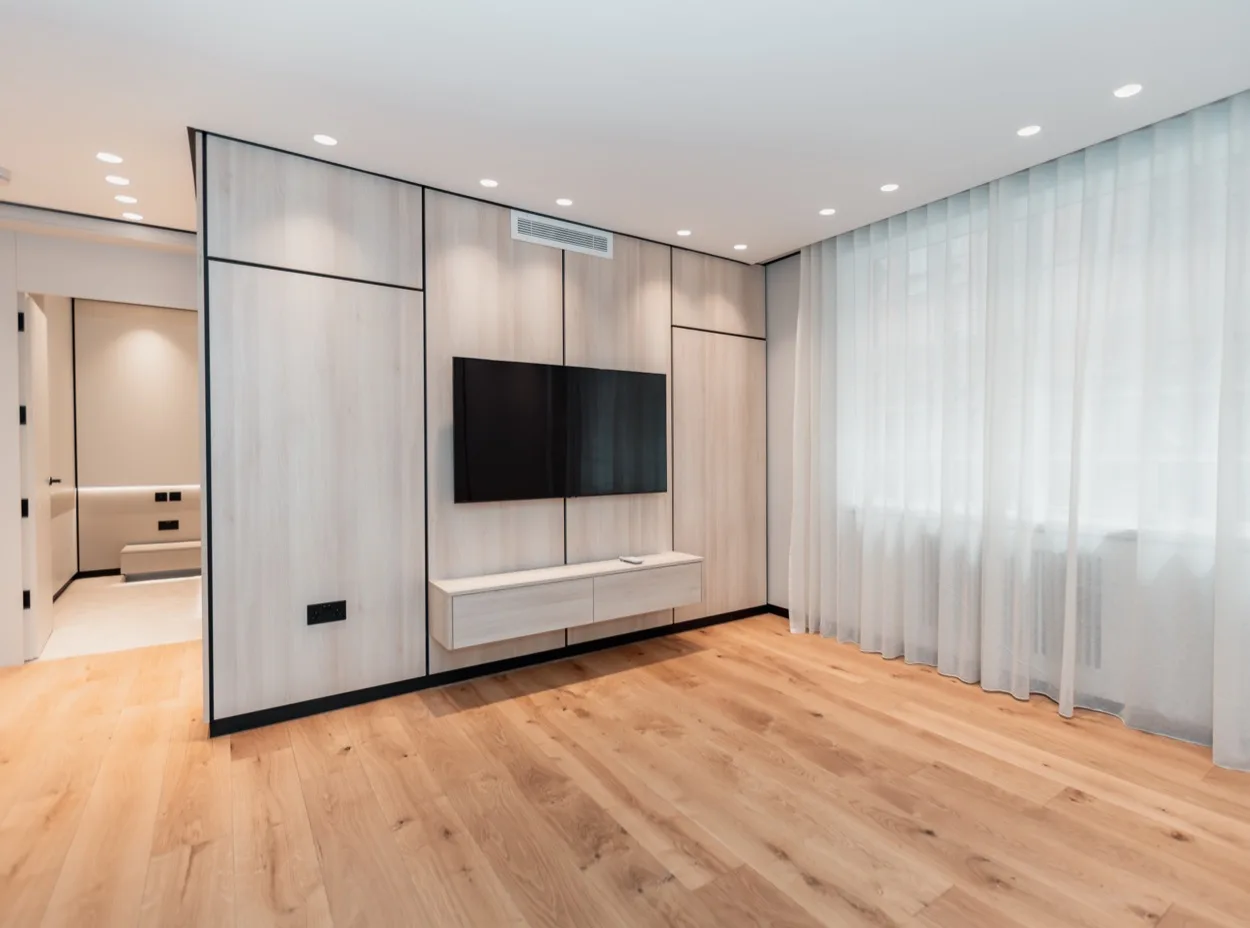
The TV itself can be wall-mounted directly onto a section of the unit designed to carry its weight, with all cabling fed through the wall or through the unit’s internal structure so that nothing is visible from the front or sides.
The end result is a wall that looks like a considered design feature rather than a collection of electronics you’ve accumulated over the years.
Think about the wall, not just the unit
One of the most effective things you can do, and something that only becomes possible when you’re having something made to measure, is treat the entire wall as a single design project.
Rather than a unit that sits in front of the wall, a built in media unit becomes part of the wall. Shelving, cabinets, the TV recess, and lighting are all integrated into one piece that runs from floor to ceiling or across the full width of the room. Cables are run inside the wall cavity or through dedicated trunking that’s hidden behind the joinery before the unit is even installed.
This approach, which we call a feature wall, transforms the way a living room feels. Instead of a room with a television in it, you have a room with a focal point, something that was designed, not just assembled.
What to think about when it comes to finish
Once the practical side is sorted, the look of the unit is where the real conversation starts. A few things worth considering:
Doors vs open shelving. Open shelving looks great in photos but requires you to keep things tidy. Doors, whether push to open, handle, or flush, hide whatever you want hidden and also make it easier to conceal infrared receivers if you’re using remote controlled devices. Some clients opt for a mix: open sections for display and closed cabinets for the less attractive equipment.
Wood species and paint finishes. Whether you want something painted, a classic shaker style works beautifully in period London properties, or something in a natural wood with a clear lacquer, or something more contemporary with veneer panels, all of this is possible with bespoke joinery in a way it simply isn’t with off the shelf furniture.
Lighting. Integrated LED lighting, either inside the unit to illuminate shelving or behind the TV as a bias light, makes a significant difference to how the finished wall looks. It also makes it much easier to see what you’re reaching for. At Yasmeen Joinery, we handle the electrical and lighting work as part of the installation, so this can all be planned from the start.
What about infrared — can you still use your remote?
This is a question we hear often, and it’s a fair one. If your devices are hidden behind cabinet doors, how does your remote control reach them?
There are a few solutions. IR repeaters, small sensors that pick up a signal from the front of the unit and relay it to the devices inside, are a tidy option and can be built neatly into the unit design. Alternatively, if you use a smart home system or an app based remote, this stops being an issue entirely.
It’s worth talking through when you’re planning the unit, because the right solution depends on what devices you’re using.
Getting it right from the start
The reason a built-in TV unit hides cables so much more effectively than a freestanding piece of furniture is simple: it’s designed to. The joinery is built around the specific layout of your room, your wall, your devices, and your sockets — and cable management is part of that design from day one, not something you figure out after the fact.
If you’re tired of looking at a wall of cables every time you sit down in the living room, it might be worth having a conversation about what a bespoke media unit could do for the space.
Yasmeen Joinery designs and installs bespoke TV and media units across London. The initial consultation is completely free, with no obligations. Get in touch here or call us on (+44) 20 3004 9929 to talk through your project.